Icon of program: Total PDF Converter

Total PDF Converter for Windows

  • Trial version
  • 3.6
    914
  • 699.8K
  • V6.5.0.141
Download for Windows

View an ad to download for free

Efficient PDF Conversion with Total PDF Converter

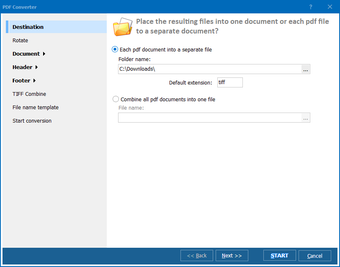
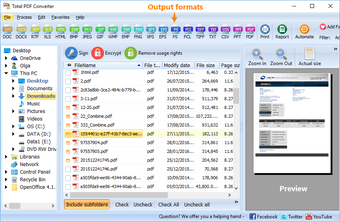
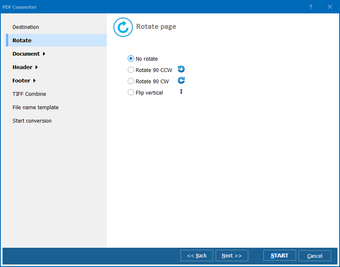
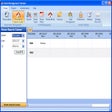
Total PDF Converter is a robust trial version software designed for Windows that focuses on enhancing productivity through efficient document conversion. This program allows users to easily convert PDF files into various formats, making it a versatile tool for both personal and professional use. With its user-friendly interface, it simplifies the conversion process, ensuring that even those with minimal technical skills can navigate it with ease.

Top Recommended Alternative

The software supports multiple output formats, including Word, Excel, and HTML, providing flexibility for users who need to repurpose their PDF documents. Additionally, Total PDF Converter offers batch processing capabilities, enabling users to convert multiple files simultaneously, thus saving valuable time. Overall, it stands out as a practical solution for anyone looking to manage PDF files effectively.
 0/3

App specs

Program available in other languages


Icon of program: Total PDF Converter

Total PDF Converter for PC

  • Trial version
  • 3.6
    914
  • 699.8K
  • V6.5.0.141
Download for PC

View an ad to download for free


User reviews about Total PDF Converter

3.6

4 reviews

Add review

Main reviews for you

  • Anonymous user

    Great Software. The converter is good. I used it to convert PDF to DOC via command line, so I don't use interface. The switches are clear, the settings are quite wide. I can add a date stamp to each file. I recommend this app.

  • Anonymous user

    Great tool for conversion lots of pdfs. It's pretty easy to use and helps to convert pdf to different file formats. It created docs from my pdfs quite quickly and accurate. Useful option - you have the choice to include the images or not. What is also good about the program is that it can convert many files at a time. Great tool for those who have a lot of files to convert. Pros: batch conversioneasy to use Cons: previews are not always displayed correctly

  • Anonymous user

    Good command line app to convert PDF and XPS. Total PDF Converter was the only app I could fins to convert PDF and XPS files to DOC via command line. The output is quite fine with some minor changes. I don't use the interface, so I can't tell if it is good. Pros: command linexps support Cons: no actual help file

  • Anonymous user

    Nice but Pricey. My opiinion is that is it way to pricey for a small program, there are similar pdf converters that are priced just right like PDF to Image converter priced at 39.99 much more affordable.


More

You may also like

Alternatives to Total PDF Converter

Explore Apps

Latest articles

Laws concerning the use of this software vary from country to country. We do not encourage or condone the use of this program if it is in violation of these laws.
Softonic

Is Total PDF Converter safe?

100/100

Score result: Clean

This file passed a comprehensive security scan using VirusTotal technology. It is safe to download.

  • Virus free
  • Spyware free
  • Malware free
  • Verified by Security Partners

    VirusTotal logo

Scan Info

Last scan
Monday, June 16, 2025
Scan provider
VirusTotal · Full report

File Integrity

File
Total_PDF_Converter_V6.5.0.141.exe
SHA256
caa8798d73313dedbad7ec064fa0c42d958d9fdb573b3d3b93a4105817affc7b
SHA1
5a0f60e5cf75120259d3df8e95457709b1a5ad26

Softonic security commitment

Total PDF Converter has been thoroughly scanned by our advanced security systems and verified by industry-leading partners. This file comes from the official developer and has passed all our security checks, showing no signs of viruses, malware, or spyware. For more information, visit our Security and Trust Center

Signed in to Softonic as